
How to make money with Gemini Omni for free in 2026 is a question that barely existed six weeks ago. Google announced Gemini Omni at I/O on May 19, 2026, and within days, creators who understood what they were looking at started building income streams around it. The ones who did not understand it mostly scrolled past the announcement and went back to what they were already doing.
This guide is for the people who want to understand it, specifically the part about earning from it at zero upfront cost.
Gemini Omni is not a minor update to an existing video tool. It is a fundamentally different model: any input (text, image, audio, or video clip) produces a video output through a conversational interface. You describe what you want, reference an image, and watch the clip generate. You iterate by talking to it. No timeline editing, no keyframes, no technical skills required. The most important fact for beginners: Gemini Omni Flash is free for every YouTube Shorts and YouTube Create user with no subscription and no invite list.
That free access path is where most of the income opportunities in this guide start.
If you have read the guides on AI tools to make money online without investment, make money with AI art without any skills, best free AI video generator for content creators, or AI tools for freelancing on Fiverr and Upwork, you already understand how free AI tools can generate real income. Gemini Omni is the newest, most accessible entry point to that category.
What Gemini Omni Actually Gives You for Free
How to Make Money with Gemini Omni Free 2026: Understanding the Access Tiers First
Before getting into income methods, understanding exactly what “free” means with Gemini Omni prevents a frustrating discovery mid-workflow.
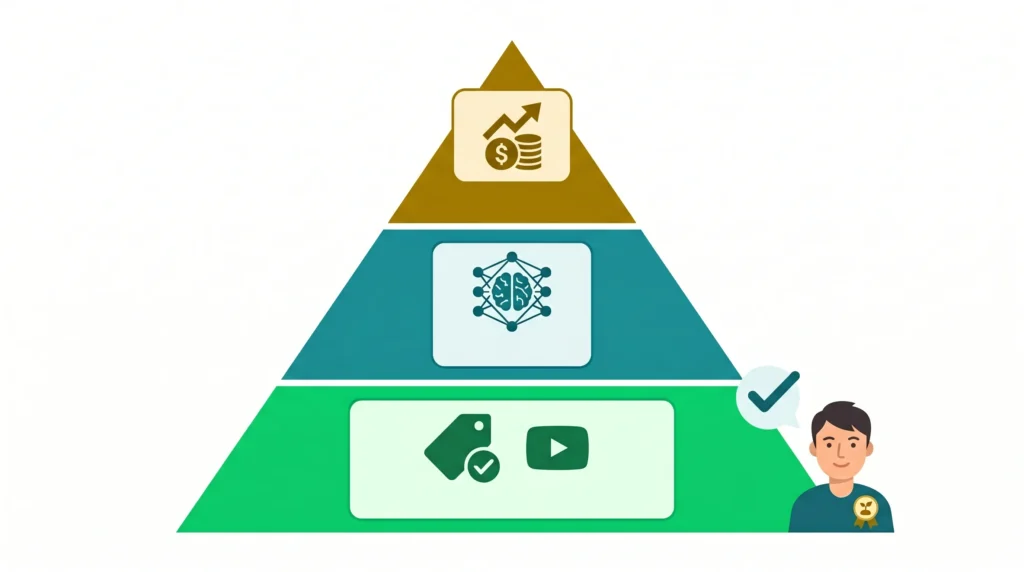
YouTube Shorts Remix is the only free path to Gemini Omni Flash. It operates inside YouTube’s existing product rather than as a standalone tool, and it is restricted to users aged 18 and above.
What the free tier includes:
- Gemini Omni Flash access through the YouTube Shorts Remix feature and the YouTube Create app
- Video generation from text prompts, reference images, and existing Shorts clips
- Scene regeneration: swap backgrounds, change settings, insert visual elements
- Conversational editing: iterate three or four versions of the same clip in under two minutes
- 10-second clip length cap at launch
What requires a paid plan:
Using Gemini Omni inside the standalone Gemini app requires a Google AI subscription. Google AI Plus starts at approximately $7.99 per month; AI Pro is the most common creator tier; AI Ultra is approximately $100 per month. For every income method in this guide, the free YouTube Shorts path is used unless clearly stated otherwise.
The SynthID rule you must know:
Every Omni-generated video includes SynthID digital watermarking, identifying it as AI-generated. This does not prevent you from posting or monetizing the content. It does mean transparency about AI creation is built into every clip at the technical level. Omni-remixed Shorts include a digital watermark, identifying metadata, and a link back to the original video when remixing existing content. For original clips (not remixes), the SynthID watermark is invisible to viewers but readable by verification tools.

Method 1: Build a YouTube Shorts Channel and Monetize It
How to Make Money with Gemini Omni Free Through YouTube Shorts
YouTube Shorts monetization is the most direct income path from Gemini Omni’s free access. The channel takes time to build but generates recurring passive income once the foundation is in place.
The workflow:
- Open the YouTube Shorts camera or the YouTube Create app
- Use the Remix feature to generate a 10-second clip from a text prompt or reference image
- Build a themed channel around a consistent niche: educational facts, motivational quotes, nature visuals, mini-tutorials, travel scenery, or any topic with consistent search demand
- Post daily or at a minimum of five times per week for the first 90 days
The income mechanism:
YouTube Shorts monetization works through the YouTube Partner Program, which requires 1,000 subscribers and 10 million Shorts views in the last 90 days. Once monetized, income comes from ad revenue on Shorts views, channel memberships, and Super Thanks from engaged viewers.
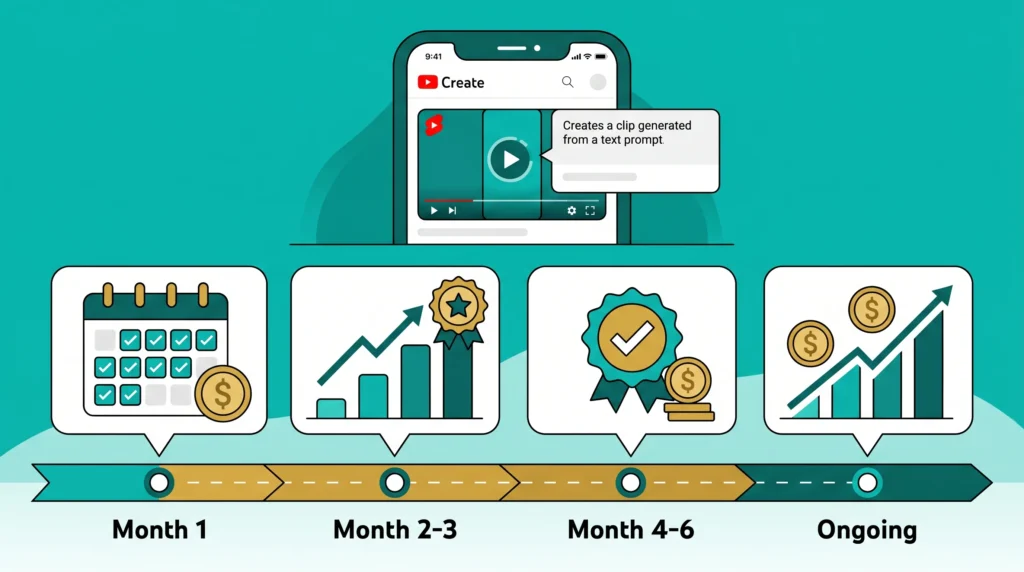
Realistic timeline:
- Month 1: Zero income; building consistency and testing which clip styles perform best
- Months 2 to 3: First monetization milestones possible for channels posting daily
- Months 4 to 6 after monetization: $50 to $400 per month, depending on niche and view volume
- Established channels with strong niches: $500 to $2,000 per month from Shorts alone
The niche selection matters more than the AI tool. A generic channel posting random AI clips will not grow. A channel specifically about historical events shown as cinematic reconstructions, or a channel turning famous quotes into atmospheric visual clips, or a channel producing daily 10-second city guides, has a clearly defined audience that YouTube’s algorithm can identify and serve.
Method 2: Sell Faceless Short-Form Video Services on Fiverr

Using Gemini Omni Flash to Offer Fiverr Video Services at Zero Tool Cost
Fiverr has seen growing demand for short-form AI video content since early 2026, and Gemini Omni Flash adds a new capability that competitors using older tools cannot match: conversational editing. When a buyer asks for a revision, you iterate through the conversation rather than rebuilding from scratch, which cuts your time per order significantly.
What to offer:
- YouTube Shorts intros and outros: branded 5 to 10-second clips for content creators
- AI-generated social media reels for product launches
- Ambient background clips for streamers and video content creators
- Visual story clips for Instagram and TikTok accounts
- Scene illustration clips for educational YouTube channels
Pricing guide for beginners:
- Entry tier (establishing reviews): $15 to $25 per clip
- After 10 reviews: $35 to $60 per clip
- After 50 reviews with clear niche specialization: $75 to $150 per clip or per package
What makes a strong Fiverr gig for Gemini Omni work:
The gig title matters more than most new sellers understand. “I will create an AI short video” competes with hundreds of identical gigs. “I will create a 10-second cinematic AI intro clip in the style you describe” targets a specific buyer with a specific need and specific language they are likely searching.
For the full breakdown on how to write Fiverr proposals and optimize a gig profile, the AI tools for freelancing on Fiverr and Upwork guide covers this in complete detail.
Tool cost for this method: $0. YouTube Create app, free. Gemini Omni Flash via YouTube, free.
Method 3: Product Demo Videos for E-Commerce Sellers

How Beginners Can Charge for Gemini Omni Product Visuals
E-commerce sellers on platforms like Etsy, Amazon, and Shopify need video content for product listings, social media ads, and promotional material. Most do not have the skills or time to produce it. A 10-second AI video showing a product in an aspirational context: a candle against a cozy evening background, a phone case in various lifestyle settings, a piece of jewelry in a flattering visual environment, serves this need directly.
The workflow:
- Client provides a product photo
- You use the image as a reference input in YouTube Create or Gemini Omni Flash (paid tier)
- Generate three to five variations showing the product in different settings
- Client selects the preferred version, and you deliver the clip
Where to find clients:
- Etsy seller communities and Facebook groups for small product businesses
- LinkedIn outreach to Shopify store owners in clear product niches
- Fiverr gig specifically targeting “product video for Etsy sellers” (specific enough to stand out)
Pricing: $20 to $50 per product clip, or $75 to $150 for a package of five variations. A seller preparing a product launch may want ten to fifteen clips, making a single client engagement worth $200 to $400.
Method 4: Social Media Video Packages for Small Businesses

Offering Weekly AI Video Content as a Recurring Service
Small business owners consistently struggle with social media content consistency. They need short-form video but do not have the tools or time to produce it. With Gemini Omni, creators can drop a text prompt or an image into an existing Short and regenerate scenes entirely, swap a video’s background setting, or add to the original video’s narrative. This means you can take a business’s product photo or brand description and produce several unique clips per week at minimal time cost.
The service model:
- Weekly retainer: four to eight short video clips per week, posted across Instagram Reels, TikTok, and YouTube Shorts
- Monthly retainer pricing: $150 to $350 per month per client, depending on volume and niche
- Three clients at $200 per month = $600 per month recurring income
What this requires beyond the tool:
Basic prompt writing skills, understanding of the client’s brand voice, and the ability to deliver clips on a consistent schedule. None of these requires technical video production experience; they require reliability and communication.
For the complete framework on managing multiple small business clients with AI tools, the guide on AI tools that replace a virtual assistant covers the operational setup in detail.
Method 5: AI Video Ads for Local Service Businesses

A High-Value Niche That Most Creators Are Not Serving Yet
Local service businesses, plumbers, dentists, fitness studios, cleaning services, tutors, and similar operators need video ads for social media platforms but rarely have the budget for professional video production. A 10-second AI-generated ad showing a relevant visual with text overlay and a call to action serves their need at a price point they can afford.
What to create:
- Atmospheric clips relevant to the business type (a clean modern bathroom for a plumber, a bright fitness space for a trainer, a confident professional for a financial advisor)
- Short text overlays added in the YouTube Create app or Canva
- Delivered as a ready-to-post social media video
Pricing: $30 to $80 per ad video. Local businesses often need seasonal updates, meaning repeat work from the same client across the year.
How to find local clients:
Search for local service businesses in your area with no video on their Facebook or Instagram. A direct message offering one free video as a demonstration is a practical door opener. If the free video converts even one new customer for them, the $30 to $80 ongoing rate is an easy decision.
Honest Limitations You Need to Know Before You Start
This section matters as much as the income methods above. Setting accurate expectations prevents the frustration that stops most beginners from persisting long enough to see results.
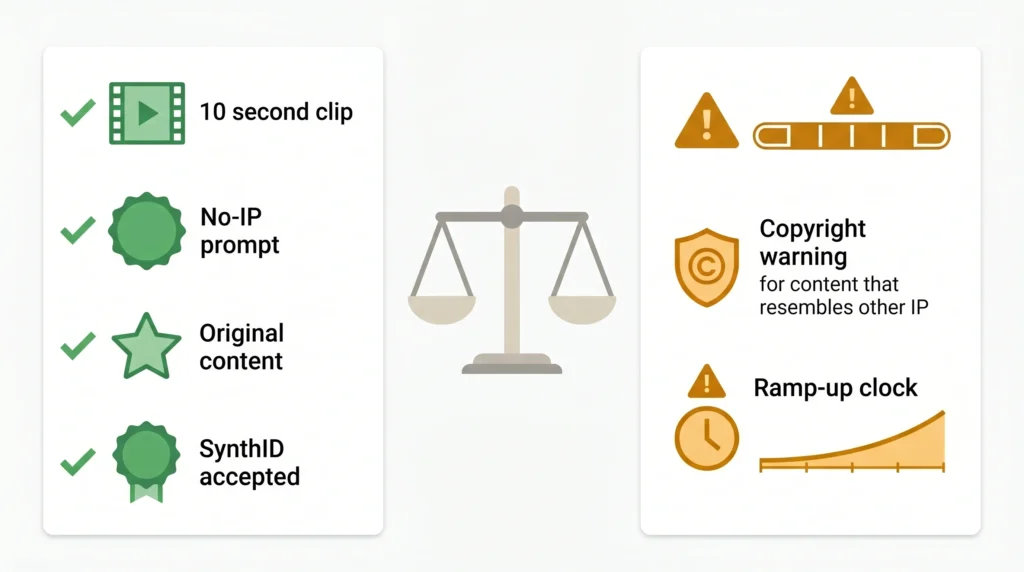
The 10-second clip limitation is real: At launch, Gemini Omni Flash clips on the free YouTube path are capped at 10 seconds. For YouTube Shorts (maximum 60 seconds), this means building a complete Short requires multiple generated clips edited together. The YouTube Create app handles this editing step within the same free workflow.
Commercial use requires clarity: The income methods above involve creating content for clients who will use it commercially. Creators should not commercially publish outputs resembling well-known IP or copyrighted characters, even when technically generated by the model. Original creative prompts without references to specific IP are the safe approach for any commercial client work.
The SynthID watermark is permanent on AI-generated content: It is invisible to viewers but present in the file metadata. For most client use cases, this is not an issue. For clients with specific requirements about AI disclosure, mention it upfront.
Income is not immediate: Every method in this guide has a ramp-up period. YouTube monetization takes months. Fiverr requires initial reviews before orders flow organically. Client retainers require outreach and conversion before income begins. The methods work; they do not pay out in week one.
Frequently Asked Questions
Q. Is Gemini Omni completely free to use?
Free access is specifically through YouTube Shorts Remix and the YouTube Create app, available to users aged 18 and above. The standalone Gemini app requires a paid Google AI subscription starting at approximately $7.99 per month. For the income methods in this guide, the free YouTube path is sufficient to start.
Q. Can I sell content created with free Gemini Omni Flash?
Yes, for original creative content that does not infringe on existing IP or trademarks. The free YouTube Shorts path allows creators to generate and post content for monetization. For client deliverables, always ensure your prompts are creating original content rather than replicating recognizable copyrighted characters or properties.
Q. How long are the clips from the free tier?
At the time of writing, Gemini Omni Flash clips on the free YouTube Shorts path are capped at 10 seconds per generation. Multiple clips can be combined within YouTube Create for longer Shorts.
Q. How quickly can a beginner make their first $100?
The fastest path is Fiverr: set up a gig, price it low to attract the first review, and deliver one to three orders. At $15 to $25 per clip, the first $100 is achievable within the first two to three weeks for someone actively promoting their gig. YouTube monetization takes significantly longer.
Q. What is SynthID, and does it affect my income?
SynthID is Google’s invisible watermarking system that identifies AI-generated video. It does not affect how the video looks to viewers and does not prevent monetization on YouTube or delivery to clients. It is a transparency tool built into every Gemini Omni output.
Q. Does this work on mobile?
Yes. YouTube Create and the YouTube Shorts camera are both available as mobile apps. The entire Gemini Omni free workflow can be run from a smartphone, which makes this one of the genuinely accessible zero-investment income methods for anyone with a phone and internet connection.
Q. What is the difference between Gemini Omni and Gemini Omni Flash?
Gemini Omni is the full model family; Gemini Omni Flash is the consumer-facing, faster, lighter version currently available on the free tier. Flash is optimized for speed and iteration, which is ideal for the short-form content creation described in this guide.
Q. Is Gemini Omni better than other free AI video tools for making money?
For free access specifically, Gemini Omni Flash is the only real choice for free AI video generation. Veo 3 is a paid-tier only; Sora is invite-only. For iteration speed and conversational editing on short clips, Omni’s workflow is currently ahead of any freely available alternative.
Q. Do I need any technical skills to use Gemini Omni for income?
No. The entire interface is conversational: you type what you want, optionally reference an image, and the clip generates. Editing is also conversational: describe the change, and the model adjusts. The skills that matter are prompt writing, clarity, understanding of what your client or audience wants, and consistency in delivering work on schedule.
Q. How does this compare to other AI income methods for beginners?
Among zero-investment methods, Gemini Omni Shorts income sits alongside the strategies covered in AI tools to make money online without investment, and AI tools for freelancing on Fiverr and Upwork. Video income has a higher perceived value than text content for most clients, which tends to mean higher per-project rates. The trade-off is that building a monetized YouTube channel takes longer than landing a writing client, so combining both methods produces faster and more diversified income.

Final Thoughts
Gemini Omni is genuinely new, and new tools create income opportunities specifically because most people are not using them yet. The window between a tool’s launch and the point when every freelancing platform is saturated with identical services is usually measured in months, not years.
The methods in this guide all start at zero cost. None requires technical skills. All of them require something more valuable than money: consistent effort over a period of weeks, and the willingness to start before everything feels perfectly figured out.
The YouTube Shorts path provides the most accessible entry point. Open YouTube Create today, generate three to five clips, post them, and observe what the platform responds to. That first session takes thirty minutes and costs nothing. Everything after that is iteration.