
Search for the best AI tools for small business owners in 2026, and the top results recommend Salesforce, HubSpot Enterprise, SAP Business AI, and similar platforms priced at $300 to $2,000 per month. That is not useful information for someone running a five-person operation or a solo business where every expense has to earn its place.
The real situation in 2026 is more useful: a significant portion of the AI-powered business operations that previously required either expensive software or additional staff are now accessible through free or sub-$50/month tools. Small business owners who know which specific tool to apply to which specific problem are recovering five to fifteen hours per week while keeping their software overhead minimal.
This guide covers the tools by business function, because that is how small business owners actually think: “I need help with my social media,” not “I need an AI content platform.” Every tool listed here is either free, has a genuinely functional free tier, or is priced under $30/month at the tier relevant for a solo or small-team operator.
If you have read the guides on AI tools that replace a virtual assistant, best free AI tools for restaurant owners to boost sales and save time, AI tools for real estate agents to save time and close more deals, AI tools to make money online without investment, best AI for writing in 2026, you already understand how individual AI tools work in practice. This guide applies that knowledge specifically to the small business context, organized by the tasks that consume the most time in daily operations.
The Honest Case for AI in Small Business: What It Actually Saves
Best AI Tools for Small Business Owners in 2026: Starting With Real Expectations
Before the tool list, one expectation needs to be set clearly. AI tools do not run your business. They handle the specific, repeatable tasks that consume disproportionate amounts of your time without requiring your judgment: drafting the first version of an email, generating social media captions from a product description, answering the same customer questions your website should answer automatically, and formatting documents you produce repeatedly.
The most successful small businesses in 2026 are not just using AI tools; they are using connected AI systems that handle the full customer journey. From first interaction to final sale, having everything in one place allows you to grow without adding more to your plate.
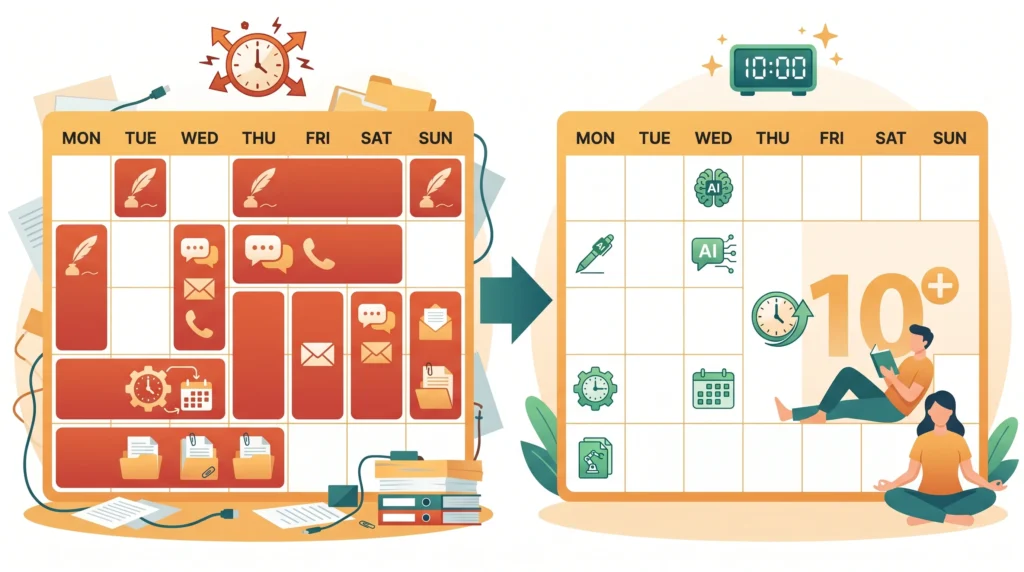
For most solo operators and small teams, the realistic starting expectation is this: five to ten hours per week recovered from writing, communication, and administrative tasks, at a total tool cost of $0 to $40 per month. That recovery compounds: ten hours per week is 40 hours per month, which is roughly one full-time week of capacity added to your operation without hiring anyone.
Marketing Content and Social Media: The Highest-ROI Starting Point
Best Free AI Tools for Small Business Marketing in 2026
Marketing content is where most small business owners spend the most time on tasks that AI handles well: writing product descriptions, drafting social media posts, generating email newsletter content, and creating promotional copy. It is also the category with the strongest free AI tool options.
Who needs this: solo founders and small teams who need flexible help with writing, research, and problem-solving. If you are wearing multiple hats, ChatGPT is your first hire.
Use it specifically for:
- Generating five to ten social media post variations from a single product or service description
- Writing promotional email copy from a bullet-point brief
- Drafting website copy, landing page text, and product descriptions
- Generating blog post outlines and first drafts for content marketing
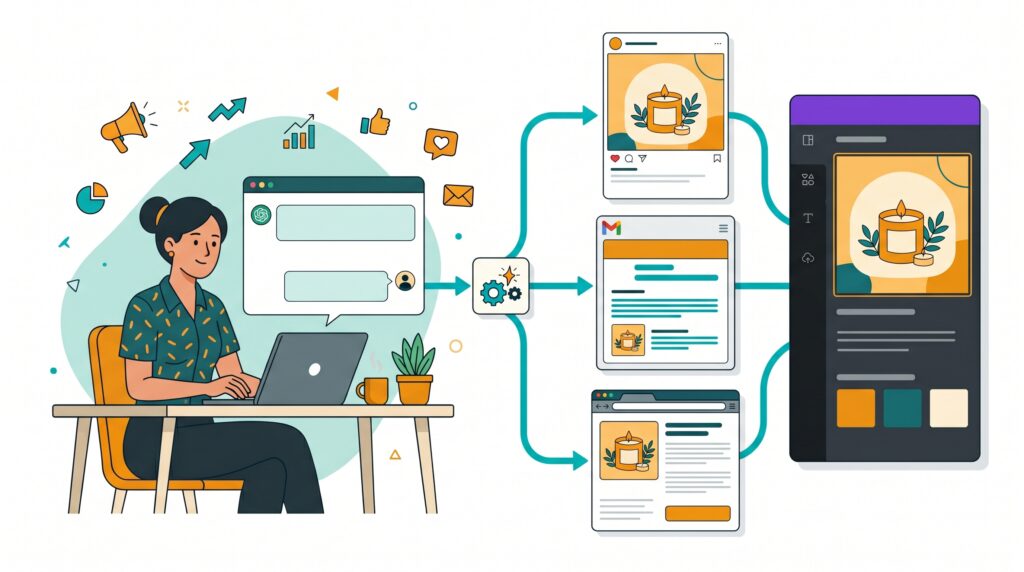
The practical workflow that saves the most time: write a two-sentence description of what you are promoting, tell ChatGPT the platform (Instagram, email, LinkedIn), and ask for three variations. Choose the strongest, edit for your voice, and post. A task that took thirty minutes takes five.
Canva’s free tier includes AI-powered design features that produce professional marketing graphics without design skills. For a small business owner who was previously using stock photos and generic templates, the Magic Design feature generates complete, branded marketing layouts from a product photo and a brief description. For the visual content side of social media, Canva reduces production time from thirty to forty minutes per post to under ten.
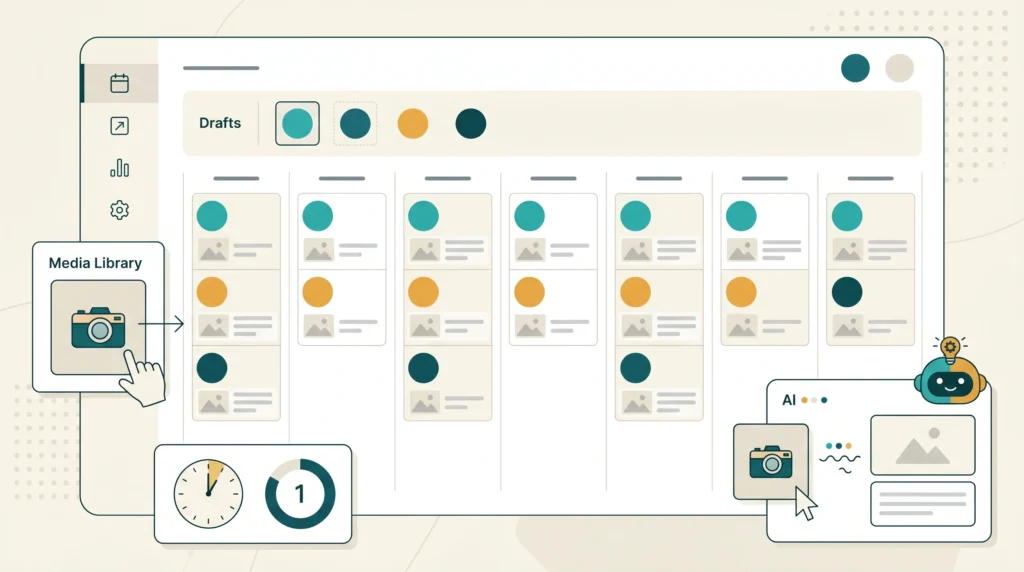
Buffer’s free tier schedules posts across three social media profiles and includes an AI assistant that generates captions from a topic or product description. For a business that needs a consistent social media presence without daily manual effort, batching a week’s content in one session and letting Buffer publish it automatically is a practical workflow change.
Customer Service and Inquiry Handling: The Tool That Works at 2 am

AI Tools for Small Business Customer Service: Free Options That Handle Volume
Most small business customer inquiries fall into the same five to ten categories: pricing questions, availability, how-to questions, returns, and basic qualification questions. Answering these individually consumes hours per week. An AI chatbot configured once handles them automatically, around the clock, without any ongoing time investment.
Tidio installs on any website via a simple embed code and connects to Facebook Messenger simultaneously. The free tier’s AI chatbot handles common customer inquiries automatically: it collects visitor information, answers configured FAQ responses, and routes genuinely complex inquiries to you with a summary of what was asked.
For a business receiving ten to thirty inquiries per week, Tidio’s free tier handles a significant majority automatically. The practical result is fewer interruptions during working hours and no missed overnight inquiries from visitors in different time zones.
WhatsApp Business with Quick Replies (Free):
For businesses where WhatsApp is the primary customer communication channel, WhatsApp Business’s free Quick Replies feature allows pre-written responses to common questions to be sent with a single keystroke. The automated Greeting Message responds to new contacts automatically. For sole operators managing customer communication personally, this reduces the response time overhead significantly without requiring any paid tool.
ChatGPT for Customer Response Templates:
Rather than real-time AI customer service, many small business owners find it more practical to use ChatGPT to build a library of email response templates for their twenty most common customer situations. Draft the templates once, refine them, and keep them accessible in a Google Doc or Notion page. Responding to a customer inquiry becomes a thirty-second copy-paste-and-personalize task rather than a drafting exercise.
Sales Outreach and Client Communication: Writing Less, Converting More
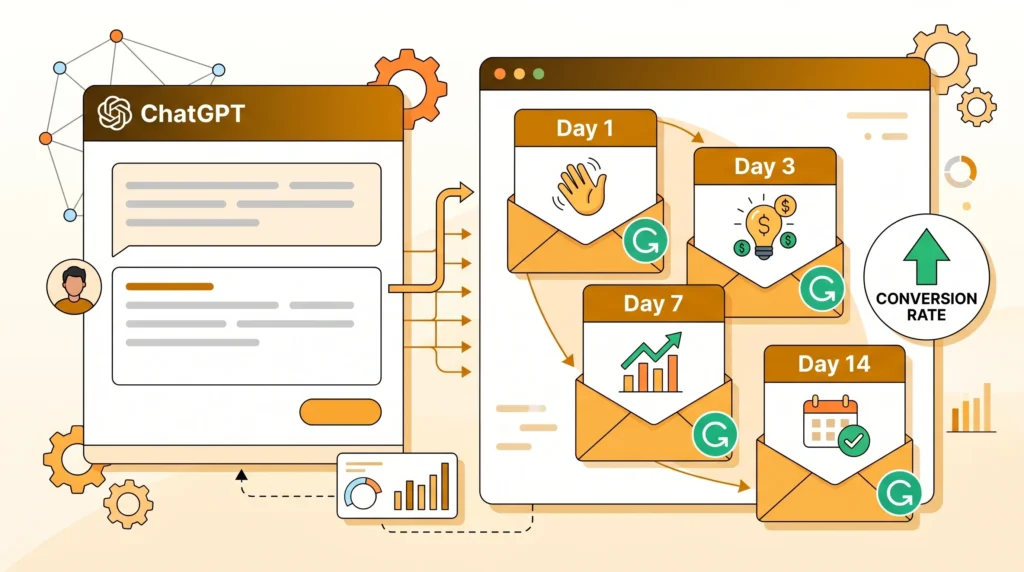
How Free AI Tools for Small Business Sales Actually Work in Practice
The gap between a good sales email and a mediocre one is smaller than most small business owners assume, and it is almost entirely a writing and structure problem that AI tools address directly.
ChatGPT for Outreach Sequences:
For businesses that rely on outbound email outreach (service providers, B2B businesses, freelancers running their own operation), ChatGPT drafts personalized outreach sequences from a brief description of the prospect’s situation and your service offering. A follow-up sequence of four emails that took three hours to write from scratch takes fifteen minutes with ChatGPT handling the structure and language.
For freelancers generating income online as described in the AI tools to make money online without investment guide, this same approach applies directly to platform outreach on Fiverr and Upwork.
In a small business, every message is a brand message. A typo in a customer email costs you trust. A confusing product description costs you sales. A rambling proposal costs you the deal. Grammarly catches grammar mistakes, suggests better word choices, and helps you adjust your tone. It works everywhere you write: emails, social media, Google Docs, Slack messages.
For non-native English speakers managing professional business communication, Grammarly is particularly valuable: it identifies awkward phrasing, tone mismatches, and clarity issues before they reach a client or prospect. The free tier covers the most important checks.
Admin, Documentation, and Invoicing: The Invisible Time Drain
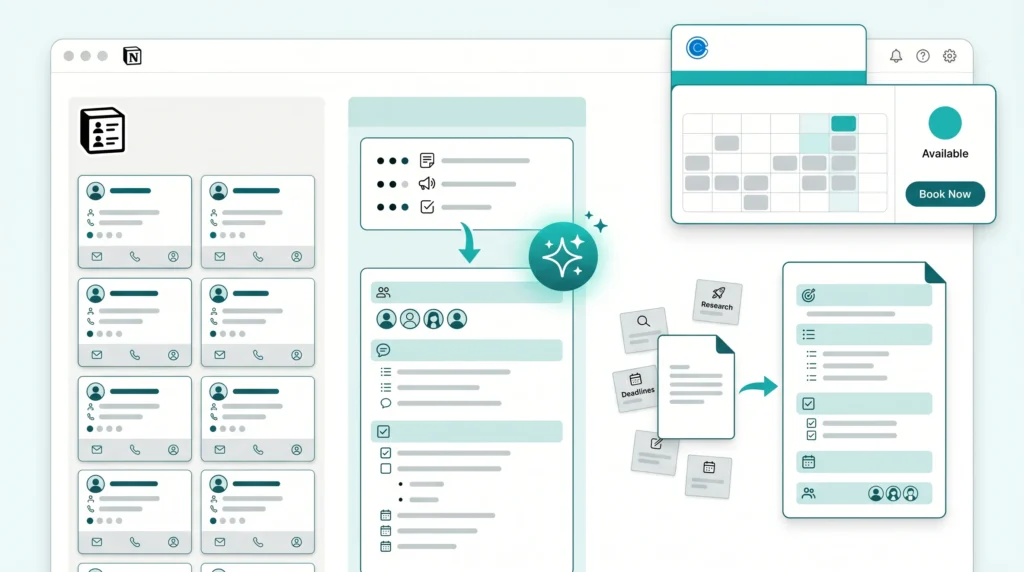
AI Tools for Small Business Administration That Are Free to Use
Administrative work, specifically documentation, scheduling, and repetitive formatting tasks, is where small business owners most consistently underestimate the time they are spending.
Notion’s free workspace with basic AI features handles several administrative tasks effectively: generating meeting agenda templates, summarizing long email threads or documents, creating project briefs from bullet points, and organizing client information. For a solo operator managing multiple clients, a single organized Notion workspace replaces the scattered notes, email searches, and memory-dependent client management that most small businesses default to.
ChatGPT for Document Templates:
Business documents follow predictable structures: proposals, statements of work, invoices, narratives, terms and conditions frameworks, and client onboarding checklists. ChatGPT generates complete first drafts of any of these from a description of your business type and requirements. The time saving is not in writing the document; it is in not having to start from a blank page for every new client or situation.
Meeting scheduling is a specific administrative overhead that Calendly eliminates: share your link, the client picks a time from your availability, and the meeting appears in both calendars with automatic reminders. The back-and-forth email exchanges that scheduling previously required have stopped completely. The free tier covers most solo business scheduling needs.
Hiring and HR: Writing Better Job Descriptions and Screening More Efficiently
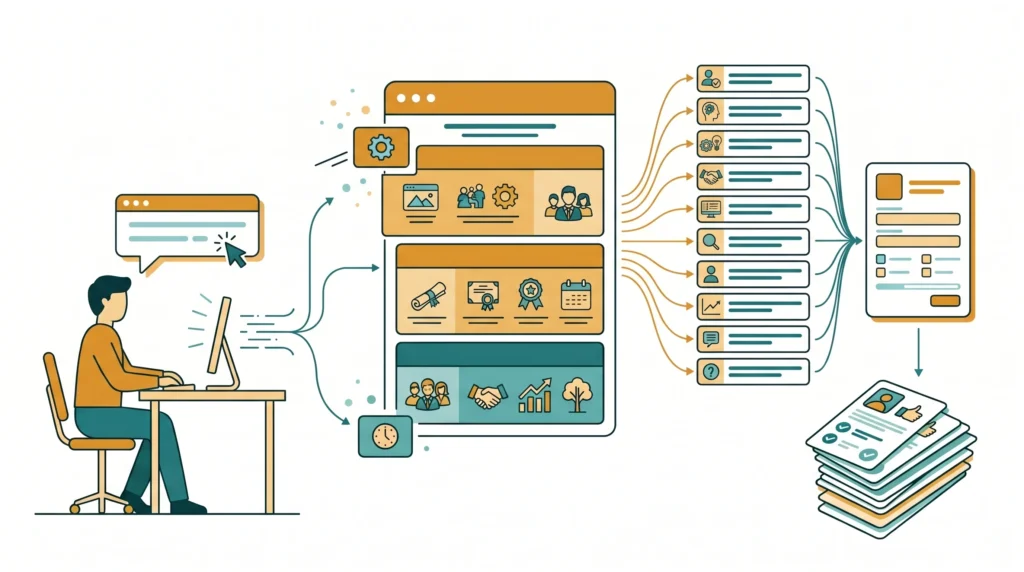
When a small business reaches the point of hiring its first or second employee, the process typically takes more time than owners anticipate. ChatGPT handles two of the most time-consuming parts directly.
Job description writing: Provide ChatGPT with the role requirements, your business type, and the experience level you are targeting. It produces a structured, professional job description in seconds, covering responsibilities, requirements, and a description of your business culture. For a business owner hiring for the first time, this removes the uncertainty of what a professional job description should look like and how it should be structured.
First-round screening questions: Ask ChatGPT to generate ten to fifteen role-specific screening questions for the position you are hiring for. Use these in an application form or early-stage interview to filter candidates efficiently before investing time in full interviews. This step alone recovers hours in a hiring process.
Financial Planning and Budgeting: What Free AI Tools Can and Cannot Do
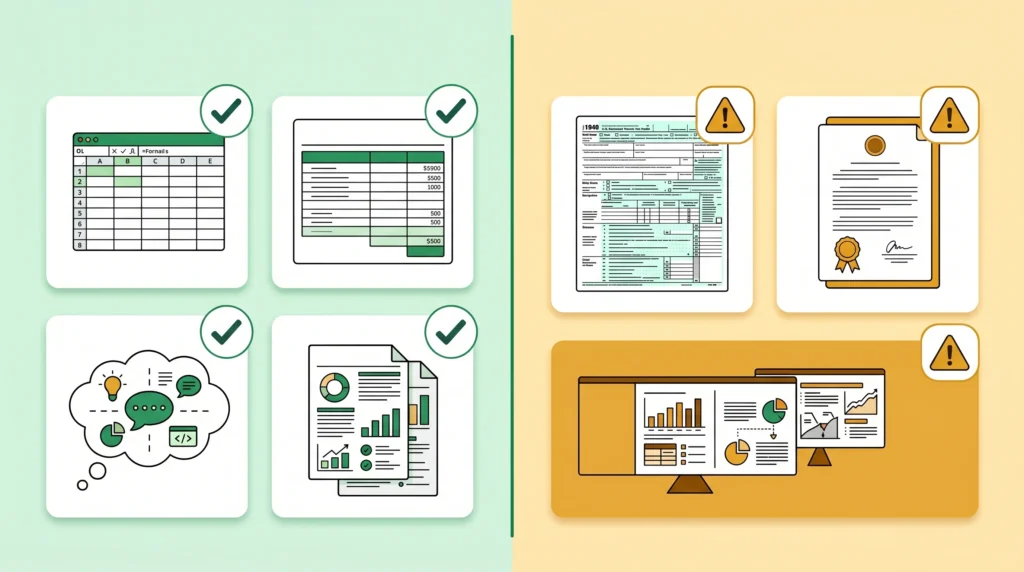
This section requires the same honesty that appeared in the best free AI tools for restaurant owners guide: knowing where free AI tools fall short prevents the mistake of over-relying on them for decisions that have real financial consequences.
What ChatGPT handles well for small business finance:
- Generating cash flow projection spreadsheet templates with formulas
- Building monthly budget frameworks from your described expense categories
- Explaining financial concepts you encounter (gross margin, break-even analysis, working capital)
- Drafting financial summaries from data you provide for reporting to partners or investors
What free AI tools should not be your sole source for:
- Tax filing and compliance: always use a qualified accountant or tax software for anything affecting your tax liability
- Specific financial advice for your business situation: AI tools cannot assess your specific risk profile, market, or regulatory context
- Verified financial projections for investor presentations: these require professional review
Workflow Automation: Connecting Your Tools Without a Developer
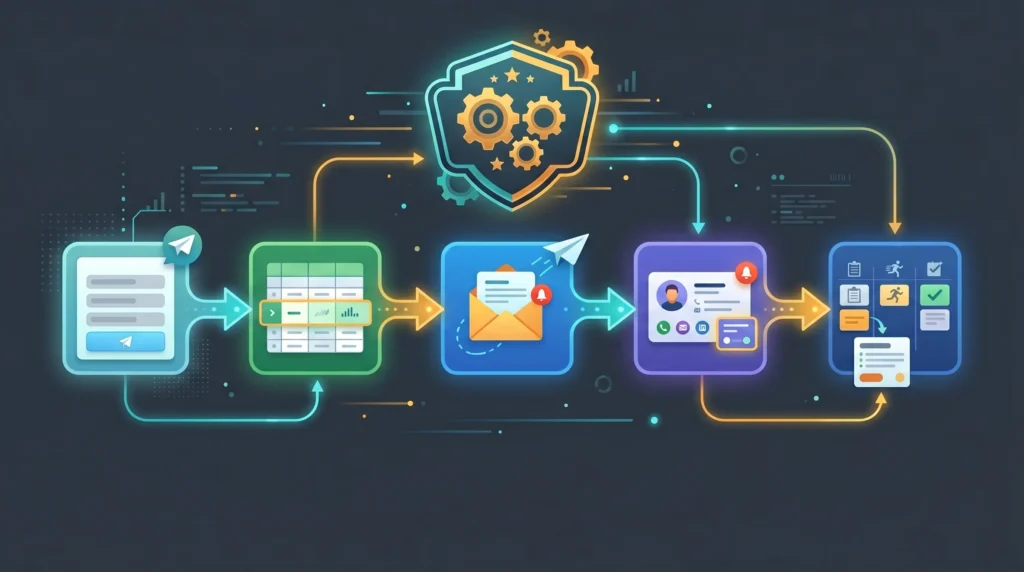
Zapier connects your tools and automates workflows between them using plain-language instructions rather than code. The free tier allows five automations (called Zaps), which cover the most common small business automation needs:
- New form submission → automatically added to a spreadsheet and sent a welcome email
- New client in your CRM → task created in your project management tool
- New invoice paid → notification sent to your team channel
For small business owners previously handling these handoffs manually, even three or four working automations recover meaningful time every week. The guide on AI tools that replace a virtual assistant covers this category in more detail for businesses running more complex administrative workflows.
The Honest Cost Comparison: AI Tools vs. a Part-Time Hire
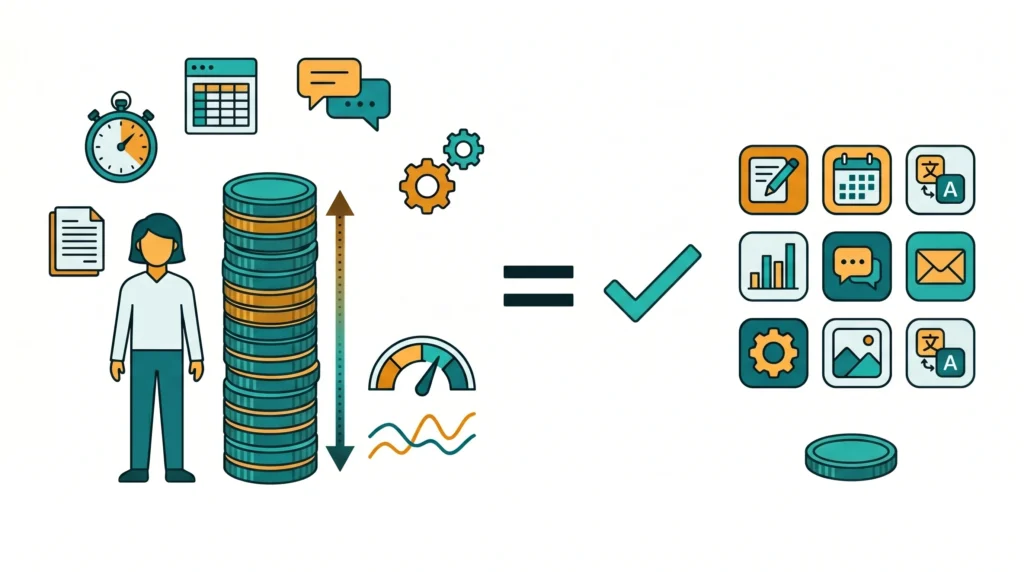
This is the calculation that frames the entire category for small business decision-making:
Part-time admin or marketing assistant (10 hours/week): $400 to $800 per month at common market rates, plus management overhead and variable reliability.
AI tool stack covering the same functions:
- ChatGPT free tier: $0
- Canva free tier: $0
- Grammarly free tier: $0
- Buffer free tier: $0
- Tidio free tier: $0
- Notion free tier: $0
- Zapier free tier (5 automations): $0
- Calendly free tier: $0
Total at free tier: $0/month
For businesses that outgrow free tiers and need more volume, upgrading strategically (ChatGPT Plus at $20/month and Canva Pro at $13/month) keeps the total under $40/month; still less than two hours of a part-time hire.
The honest caveat: AI tools do not replace human judgment, relationship management, or tasks that require in-person presence. They replace the repeatable, structural, and administrative layer of work. For many small businesses, that layer is where most of the administrative overhead actually sits.
What Free Tiers Realistically Cover and Where They Run Out
Free tiers are good for evaluating a tool, but most small businesses will hit limits within a few weeks of regular use. The paid plans for the tools on this list start at $15 to $20 per month and typically pay for themselves quickly.
The pattern that emerges consistently: free tiers are genuinely adequate for solo operators and businesses with low to moderate volume needs. The upgrade triggers are specific:
- ChatGPT free tier limit: active daily users hit daily caps; upgrade to Plus ($20/month) if AI is central to daily operations
- Canva free tier limit: some premium templates and brand kit features require Pro ($13/month)
- Buffer free tier limit: three social profiles maximum; additional profiles require a paid plan
- Tidio free tier limit: advanced chatbot flows and higher conversation volume require an upgrade
- Zapier free tier limit: five Zaps; more complex automation networks require the Starter plan ($20/month)
Start with the free tiers across all tools before upgrading anything. The tools that prove themselves in your specific workflow within the first month are the ones worth paying for.
Frequently Asked Questions
Q. Which AI tool is the single most useful starting point for a small business owner?
ChatGPT’s free tier. It covers writing, research, document drafting, customer response templates, social media content, and job description writing within a single interface. For a business owner who has never used AI tools before, starting with ChatGPT for one week on your highest-volume writing tasks demonstrates the practical time saving more quickly than any other tool.
Q. Do I need technical skills to set up these AI tools for my business?
No. Every tool covered in this guide is designed for non-technical users. ChatGPT, Canva, Grammarly, Buffer, and Tidio all operate through intuitive interfaces that require no coding, no technical configuration, and typically under thirty minutes to set up. The relevant skill is knowing what specific task you want the tool to handle; the software itself is straightforward.
Q. How much should a small business realistically spend on AI tools per month?
Starting at zero is both possible and sensible. The free tiers described in this guide cover the majority of small business AI needs at the volume typical for solo operators and small teams. Once you have identified which two or three tools are genuinely saving you time in daily operations, upgrading those specific tools at $15 to $20 each per month is a reasonable investment that typically recovers its cost within the first week of use.
Q. Can AI customer service tools handle my specific business’s questions?
Yes, with initial setup effort. Tidio and similar chatbot tools are configured with your specific FAQ responses, product information, and business details. The quality of the automated responses reflects the quality of the information you provide during configuration. A chatbot configured with twenty well-written FAQ responses handles the majority of routine customer inquiries accurately.
Q. Are these AI tools safe to use with sensitive client information?
For most tools: use standard professional judgment. General-purpose tools like ChatGPT should not be used to process identifiable client data, financial records, or confidential business information in their standard interfaces. Use them for drafting and structuring tasks without entering sensitive specifics. Purpose-built business tools (Notion, Tidio, Zapier) have data handling policies designed for business use; review the terms for any tool handling client data before committing.
Q. How long does it take to see meaningful time savings from these AI tools?
Most business owners report noticeable time savings within the first week of consistent use on their highest-volume tasks. The compounding effect becomes most apparent at the four-week mark, when the new workflow has replaced the old one fully. The biggest variable is how specific and consistent you are in applying each tool to a defined task rather than experimenting broadly without commitment to any particular workflow.
Q. Can AI tools help with customer reviews and reputation management?
Yes. ChatGPT is particularly useful for drafting professional responses to customer reviews, both positive and negative. Provide the review text and a brief description of your business’s tone, and ChatGPT produces a personalized, professional response in seconds. For businesses with a Google Business Profile, consistent review responses improve local search visibility and signal responsiveness to prospective customers. The best free AI tools for restaurant owners guide covers this in more detail for food and hospitality businesses.
Q. Is Zapier automation difficult to set up without technical knowledge?
No. Zapier’s interface allows you to describe the automation you want in plain language, and it suggests the connection steps. Most basic automations (new form submission creates a spreadsheet row; new client sends a welcome email) take under fifteen minutes to configure. The free tier’s five automations are enough to handle the most common time-saving workflows for most small businesses.
Q. Which AI writing tool is best for a non-native English speaker running a small business?
The combination of ChatGPT for drafting and Grammarly for polishing is the most practical approach for non-native English speakers. ChatGPT generates professional English content from basic instructions; Grammarly then reviews the output and any edits you make for grammar, clarity, and tone. Together, these free tools enable professional-quality written communication without requiring native-level English proficiency.
Q. Should I use Claude or ChatGPT for my small business writing tasks?
Both are viable. Claude produces stronger long-form prose quality, and ChatGPT offers more feature breadth, including image generation. For most small business writing tasks on a free tier, try both and use the one whose output requires less editing for your specific type of content.

Final Thoughts
The best AI tools for small business owners in 2026 are not the enterprise platforms that dominate search results. They are the free and sub-$30/month tools that address the specific, repeatable tasks that consume the most time in daily small business operations: writing content, handling customer inquiries, managing scheduling, producing marketing graphics, and automating data handoffs between tools.
The practical starting point is not deciding which tools to pay for. It is identifying the two or three tasks in your current workflow that take the most time and deliver the least unique value from your personal involvement; then finding the free tool that handles each one. ChatGPT for writing, Canva for design, Tidio for routine customer inquiries, and Zapier for the automations between tools cover the majority of that ground at zero cost.
The businesses that build sustainable efficiency from AI tools are not the ones that adopt the most tools. They are the ones who adopt the right two or three tools consistently, replace the old manual workflow completely, and build the time recovery into productive capacity rather than letting it disappear into other distractions.