
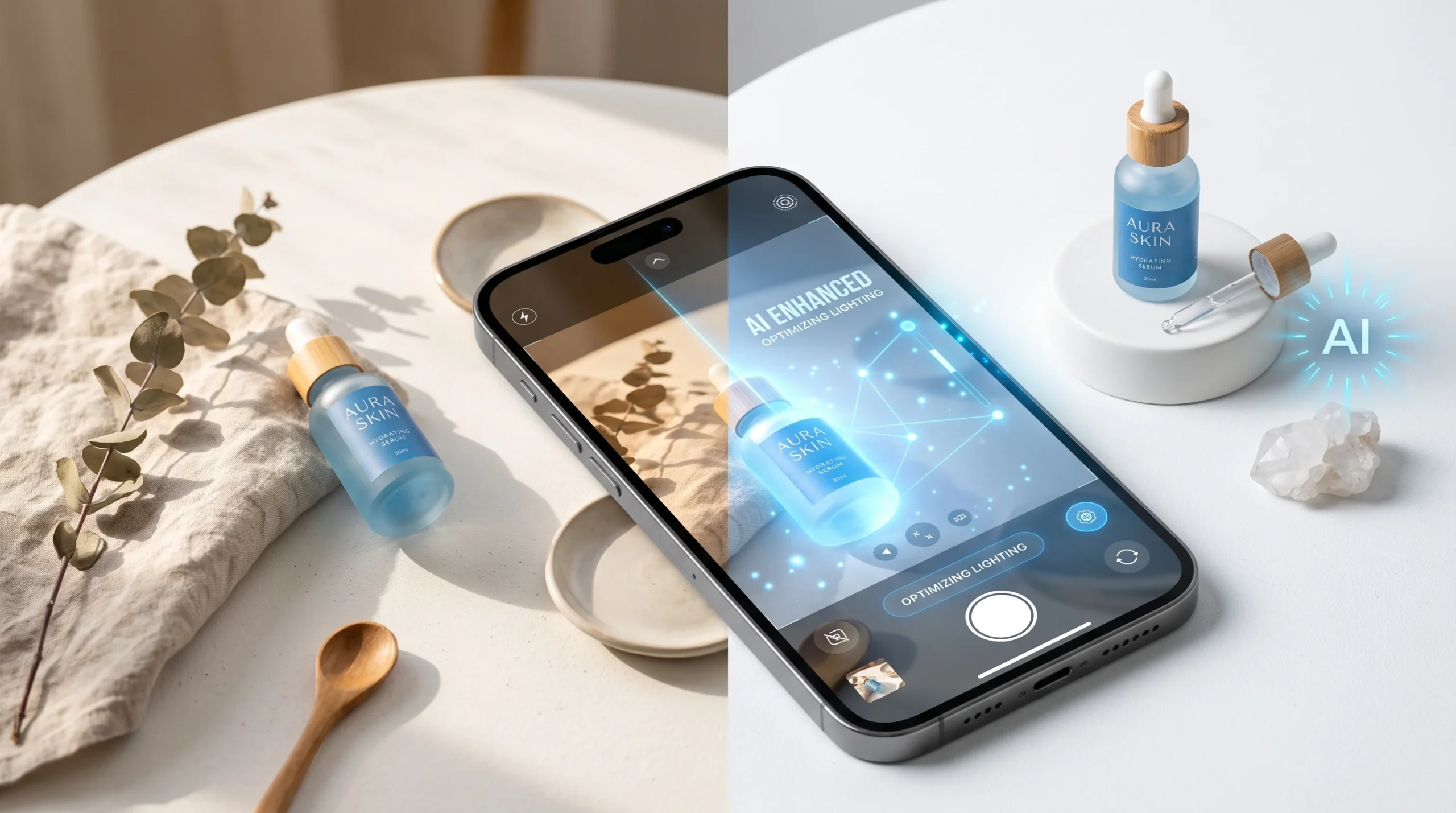
If you have ever tried to sell something online, you already know the problem: good product photos cost money, and cheap product photos cost you sales. A single professional photoshoot can run anywhere from fifty to several hundred dollars per product, and most small sellers simply do not have that kind of budget when they are just starting out.
Make Money with Nano Banana Pro: That gap is exactly why Nano Banana Pro, Google’s AI image editing tool, has become one of the fastest-rising search terms in the AI space this year. It takes a flat, ordinary phone photo and turns it into something that looks like it came out of a studio, in seconds, without lighting rigs, backdrops, or a photographer. And because so few people have connected the dots between “this tool exists” and “you can build an income around it,” there is real room right now for beginners to get in early.
This guide walks you through exactly how the AI product photography side hustle works: what Nano Banana Pro actually does, how to turn a rough photo into a client-ready image, how to package that skill as a paid service, what to charge, where to find your first customers, and the rules you need to follow so your work does not get flagged or rejected on marketplaces like Etsy, Amazon, or Shopify.
What Is Nano Banana Pro and Why E-Commerce Sellers Are Obsessed With It

Nano Banana Pro is Google’s advanced AI image generation and editing model, built into the Gemini ecosystem and increasingly available across Google Workspace, Ads, and creative tools like Firefly, Canva, and Figma integrations. In plain terms, it lets you upload an image and ask it to change the background, adjust lighting, add reflections or shadows, place a product in a lifestyle setting, or clean up imperfections, all through simple text prompts.
What makes it different from older AI image tools is consistency. Earlier AI editors often distorted product shapes, mangled text on packaging, or produced backgrounds that looked obviously fake. Nano Banana Pro is noticeably better at preserving the actual product while changing everything around it, which is the one thing e-commerce sellers actually need. A candle has to still look like that candle. A handbag has to still look like that handbag. This tool respects that constraint far more reliably than most of its predecessors.
For online sellers, this solves a genuinely expensive pain point. A studio photoshoot means renting or buying equipment, hiring a photographer or editor, and waiting days for a turnaround. Nano Banana Pro compresses that into a workflow that can take minutes per image, which is exactly the kind of gap a resourceful beginner can step into as a paid service.
If you have already read Best Free AI Image Generator for Beginners, you will recognize some of the underlying concepts here, but Nano Banana Pro’s specific strength in editing real product photos (rather than generating images from scratch) is what makes this a distinct, sellable skill.
Free vs Paid: What You Actually Get Without Paying

The short answer: the free tier is genuinely usable for learning and even for small early jobs, but the paid tier is what makes this a repeatable business.
On the free access level, you typically get a limited number of generations or edits per day, standard resolution output, and access to core background and lighting adjustments. This is more than enough to practice, build a portfolio, and complete a handful of test projects for friends or your own store.
The paid tier (through Gemini subscriptions or API-based access, depending on how Google structures pricing at the time you sign up) generally unlocks higher resolution exports suitable for large marketplace listings and print use, a much higher volume of daily generations, faster processing, and more advanced editing controls. If you plan to serve multiple clients each producing dozens of images, the free tier’s daily limits will become a bottleneck fairly quickly, and upgrading becomes a straightforward business expense rather than a luxury.
A practical approach: start entirely free while you build your first few sample images and learn the tool’s quirks. Once you land even one or two paying clients, the subscription cost pays for itself within a single project.
Step-by-Step: Turn a Phone Photo Into a Studio-Quality Product Shot

Here is a concise answer first: you shoot a clean, well-lit reference photo, then use Nano Banana Pro’s editing prompts to fix the background, lighting, and composition until it looks retail-ready. Below is the detailed process.
1. Start with a decent base photo. AI editing works best when it has good raw material. Use natural daylight near a window, place the product on a plain surface, and take the photo straight-on and in focus. You do not need a fancy camera; most modern phones are sufficient.
2. Remove or replace the background. This is usually the first and most impactful edit. Prompt the tool to place the product on a clean white background for standard marketplace listings, or a styled surface like marble, wood, or linen for a more premium look.
3. Fix lighting and shadows. Flat phone lighting often looks unnatural once the background changes. Ask for soft, even studio lighting with a realistic drop shadow beneath the product so it looks physically grounded rather than pasted on.
4. Add lifestyle context if needed. For social media or ad creative, clients often want the product shown in use, on a table with coffee nearby, held in a hand, or styled in a room setting. Nano Banana Pro can generate these scenes around the existing product image.
5. Check for distortion. Zoom into logos, text, and fine details. Even strong models occasionally soften or slightly alter small text, so this is a manual quality check you should never skip before delivering to a client.
6. Export at the right resolution. Marketplace listings, print packaging, and social ads all have different size and resolution requirements. Always export at the highest quality your plan allows and resize down as needed rather than the other way around.
7. Batch similar products together. Once you have a prompt formula that works for one product category (say, jewelry on a marble background), reuse and tweak it across similar items. This is where your speed and your profit margin come from.
How to Make Money with Nano Banana Pro (Etsy, Shopify, Amazon Sellers)

Once you can consistently produce clean results, the next step is packaging this as an actual service rather than a one-off favor.
Etsy sellers are a particularly good starting audience because many run one-person shops with zero photography budget and highly visual products like jewelry, candles, prints, and handmade goods. Shopify store owners are useful clients too, since they often need a full catalog of consistent, on-brand images rather than single shots. Amazon sellers, especially private-label sellers, need images that meet strict marketplace requirements, including specific background rules for main listing photos, which makes your service valuable for both compliance and conversion.
A simple way to structure your offer:
- Starter package: a small batch of background-cleanup edits for existing photos
- Standard package: full white-background listing photos plus one or two lifestyle images per product
- Premium package: a complete visual set including multiple angles, lifestyle scenes, and social-media-ready crops
If you previously read AI Tools That Replace a Virtual Assistant, you already understand the appeal of packaging a repeatable digital skill as a done-for-you service; this follows the same model, just applied to visual content instead of admin tasks.
Pricing Your AI Product Photography Service (Per-Image and Package Rates)

Pricing in this niche tends to fall into a few realistic tiers, and where you land depends on turnaround speed, complexity, and how polished your portfolio is.
Simple background replacement or cleanup work is typically the entry-level offer, priced low per image to attract first clients and build reviews. Styled or lifestyle images that require more prompting, iteration, and quality checking command a noticeably higher per-image rate, since they involve more creative decisions and revisions. Bulk packages for sellers with large catalogs are usually priced per batch at a discounted per-image rate, since volume work is faster once your workflow is dialed in.
A useful mental model: price based on the time and revisions each image type actually requires, not just on what competitors charge. Early on, keep your rates approachable to build a portfolio and testimonials, then raise prices gradually as demand for your work increases.
Where to Find Your First Clients

You do not need a large following to start. Realistic first-client sources include:
- Facebook groups and forums for Etsy sellers, Shopify store owners, or small business owners, where people frequently ask for affordable photo help
- Direct outreach to small online shops with obviously outdated or low-quality product photos, offering a free or discounted sample edit
- Freelance platforms where you can list “AI product photo editing” as a specific, searchable service
- Your own existing network: local small businesses, craft fair vendors, or friends running side hustles who need better visuals but cannot afford a photographer
If you found value in Best AI Side Hustles You Can Start With No Money in 2026, this fits the same pattern: low startup cost, fast skill acquisition, and demand that already exists rather than needing to be created from scratch.
Disclosure Rules: What Marketplaces Require for AI-Edited Images

This is not optional, and skipping it can get a client’s listing removed. Most major marketplaces have been tightening their rules around AI-generated or AI-edited visual content, particularly for the main listing image, which in many cases must represent the actual physical product accurately, without misleading enhancements, added props, or altered proportions.
As a service provider, your job is twofold: produce images that look professional while remaining an honest representation of the product, and make sure your client understands their platform’s current disclosure requirements. Rules vary by marketplace and do change over time, so always advise clients to check the current policy on their specific platform before publishing, rather than assuming last year’s rule still applies. Being the person who proactively raises this, instead of ignoring it, is also a trust signal that helps you retain clients long-term.
Common Mistakes That Get Listings Flagged or Rejected

A few recurring issues show up again and again with beginners in this space:
- Over-editing the product itself. Changing the actual color, size, or shape of the product, even slightly, misrepresents what the buyer will receive and can trigger complaints or removals.
- Ignoring platform-specific image requirements. Amazon, for example, is strict about main image backgrounds and framing; delivering a beautifully styled lifestyle shot where a plain background is required wastes everyone’s time.
- Skipping the manual quality check. Distorted text, warped logos, or an extra finger on a hand-holding-product shot are easy to miss if you rush and export without zooming in first.
- Underpricing to the point of burnout. Taking on too many bulk jobs at rock-bottom prices to win clients quickly often leads to rushed work and quality slips, which hurts your reputation faster than it builds it.
- Not keeping raw files organized. Clients will ask for revisions or additional angles later; keeping originals and edited versions organized by client saves enormous time down the line.
How This Fits Into a Broader AI Income Strategy
AI product photography does not have to be your only offer. Many people who start here eventually combine it with related skills covered elsewhere, such as running social ads with the same styled images, offering basic Shopify or Etsy store setup, or bundling it with copywriting for product descriptions. If you are exploring multiple income streams at once, How to Make Passive Income with Free AI Tools in 2026 and Best No-Code AI Automation Tools to Earn Money Online in 2026 are useful next reads for building a wider toolkit around this same audience of small online sellers.
Conclusion
Nano Banana Pro arrived at a moment when small sellers desperately need affordable, professional-looking product photos, and very few people have built a service business around it yet. That combination, real demand plus low competition, is rare in the AI tools space right now.
You do not need design experience, expensive equipment, or a large portfolio to start. What you need is a repeatable workflow, a fair pricing structure, and a habit of checking your output before it reaches a client. Start with your own products or a friend’s small shop, build a handful of strong before-and-after examples, and use those to land your first paying clients. The tool is new enough that showing up now, rather than in a year, is genuinely an advantage.
Frequently Asked Questions
Q. Is Nano Banana Pro free to use?
Yes, Nano Banana Pro has a free access tier with daily generation limits, which is enough to learn the tool and build early sample work. A paid tier offers higher resolution, higher volume, and faster processing for serious client work.
Q. Do I need to disclose AI-edited product photos on Etsy or Amazon?
Marketplace policies on AI-edited imagery are becoming stricter and vary by platform, so always check the current rules for the specific marketplace before publishing, and avoid altering the product’s actual size, shape, or color.
Q. How much can I charge for an AI product photography service?
Pricing typically scales with complexity: simple background cleanups are priced lower per image, styled lifestyle shots command higher rates, and bulk catalog packages are usually discounted per image while still profitable at volume.
Q. Is Nano Banana Pro better than Photoshop for product photos?
It is faster and requires no design skill, since edits are prompt-based rather than manual, but Photoshop still offers more precise manual control for highly technical retouching work. Many sellers use Nano Banana Pro for speed and reserve Photoshop for fine detail fixes.
Q. Can I use Nano Banana Pro output commercially?
Commercial usage terms depend on the specific plan and Google’s current policy at the time of use, so it is important to review the terms tied to your account tier before selling edited images to clients.
Q. Do I need professional photography equipment to start?
No. A smartphone photo taken in good natural light on a plain surface is usually enough raw material for Nano Banana Pro to produce a polished, studio-style result.
Q. How long does it take to edit one product photo?
Once you have a working prompt formula, a single edit often takes just a few minutes, though styled lifestyle images with more revisions can take longer.
Q. What kind of sellers need this service most?
Etsy sellers, small Shopify store owners, and Amazon private-label sellers with limited photography budgets are typically the strongest and most consistent client base.
Q. Can I turn this into a full-time income?
It is realistic as a scalable side income, and some people expand it into a full-service business by adding related offers like ad creatives or store setup, though results depend on consistency, portfolio quality, and client outreach effort.
Q. What is the biggest mistake beginners make with this side hustle?
Over-editing the product itself so it no longer matches what the buyer receives, which risks complaints, returns, and marketplace policy violations.